Tuesday, 31 January 2017

Creating an Adobe Experience Manager HTL component that displays a repeating data set

You can create an Adobe Experience Manager HTL component that displays repeating information that can be set by an AEM author during design time. For example, consider a typical on-line section of a sports site. Each section of the HTL component can list a story includes:
  • a digital asset (located in the Experience Manager DAM)
  • a heading
  • text
The following illustration shows an Experience Manager HTL component listing various sport stories about a youth football club.
The HTL component displays a repeating data set that is set by an AEM author using a Touch UI dialog that contains a Multifield control.


An HTL component dialog
Read More

Tuesday, 17 January 2017

Creating an Adobe Experience Manager HTL Component that parses MS Word Documents

You can develop an Adobe Experience Manager HTL (used to be known as Sightly) component that can parse and display content from MS Word documents. Some Experience Manager use cases require integrating MS Word documents with Experience Manager. The HTL component developed in this article parses a MS Word document and displays the content in in a HTL component. Consider the following Word document.

A MS Word document


You can develop a custom HTL component to parse this Word doc and display the data in an AEM web page, as shown in the following illustration.

A HTL component displaying data parsed from a Word document


Sunday, 8 January 2017

Webservices in Hybris

Hybris provides a great way to expose all of its functionality via webservices, We can provide all the data available in the hybris database (products, promotions, vouchers , wishlist etc) to third party applications which are not built using Hybris.


Some webservices are exposed via http and 9001 port where-as others where spring-security is applied are exposed via https and 9002 port

Accessing normal webservices is pretty straight forward. But there is a way to access webservices where spring-security is applied.

Most of the features are provided by Hybris Out-Of-The-Box (OOTB). In case of customization we only have to Fetch data either byFlexible Search Query or from services, add them to a list and return the list to the calling application.

Rest of the things will be taken care by Hybris automatically :)   

Saturday, 31 December 2016

Configure HMC in Hybris

Check if HMC extension is configured
  • log into http://localhost:9001/ using admin credentials
  • Under Platform--> Initialization, I initialized to recreate the new tables.
Apart from the above, I did not do any other steps. I noticed that the extensions under HMC in Platform-->Extension, are all marked as X. Please refer to the attached image.
You are missing the hmc as part of your localextensions.xml file. you can locate the xml from this path "F:\Hybris\HYBRIS6\hybris\config\localextension.xml".
Sample localextension.xml file
        <!-- ext-template -->
<extension name="yempty" />
<extension name="yhacext" />
<extension name="admincockpit" />
<extension name="backoffice" />
<extension name="cockpit" />
<extension name="hmc" />
<extension name="platformhmc" />
<extension name='mcc' />
<extension name='commercesearchbackoffice' />
<extension name='commerceservicesbackoffice' />
<extension name='solrfacetsearchbackoffice' />
<extension name='solrserver' />
<extension name='yacceleratorcockpits' />
<extension name='yacceleratorinitialdata' />
<extension name='yacceleratorfulfilmentprocess' />
<extension name='yacceleratorstorefront' />
<extension name='yaddon' />
<extension name='ycommercewebservices' />
<extension name='electronicsstore' />
<extension name='apparelstore' />
<extension name='liveeditaddon' />
<extension name='acceleratorwebservicesaddon' />
After adding the hmc extension you have to run an update running system from the HAC (or re-initialize).

Installing Hybris 6

Hybris Installation
Follow below instruction to insall Hybris environment.
  1. Download JDk 8 from here
  • Accept licence terms and conitions.
  • Download as per your windows bit (32 or 64)
  • Once downloaded, install jdk by double clicking it. Follow the default instructions by clicking next.
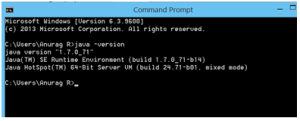
  • Once installed, you should can verify installation in command prompt.
  • setant
  • Download the Hybris  from here.

Saturday, 10 December 2016

Creating an Adobe Experience Manager HTL Headline component

You can create an Adobe Experience Manager (AEM) Headline component that you can use in your AEM web page. A headline component lets your website visitors read latest headlines about a specific subject. That is, you can enter keyword into an AEM dialog and the component will display headlines related to the keyword. For example, you can enter Facebook keyword and the component displays headlines, as shown in the following illustration.